



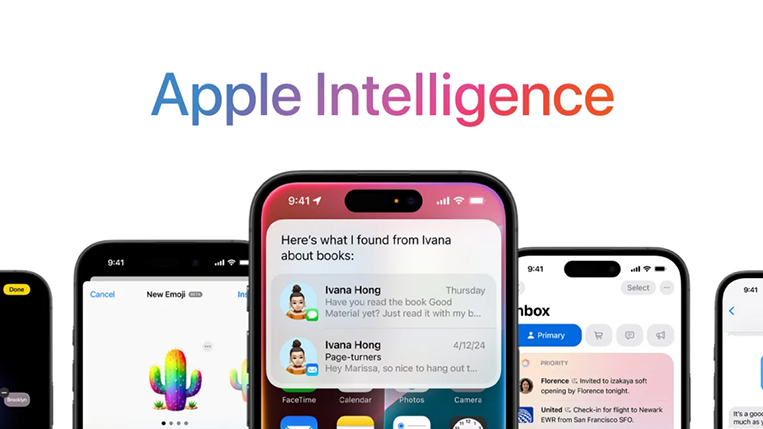
Apple has announced the upcoming iOS 27, expected this fall, bringing changes to the way people use the iPhone, iPad, Mac, Apple Watch, Vision Pro, and more.
There are updates across services, design, and everyday apps, but the biggest story by far is Apple Intelligence.
What is Apple Intelligence?
Apple Intelligence is Apple’s new AI system that lives inside its devices and apps to help you get things done faster, more naturally, and with less effort. It is not just about asking random questions like a chatbot. It is about your iPhone or Mac understanding what you are looking at, what you are trying to do, what matters in the moment, and then helping out in a useful way. Apple says it is deeply integrated into its platforms, grounded in personal context, and designed with privacy in mind.
Siri AI
Firstly, Apple has given Siri its own dedicated app, Siri AI, featuring a chatbot-style interface that lets users type prompts, upload documents and images, or interact via voice.
Apple is not presenting it as a slightly improved voice assistant. It is describing it as an entirely new Siri: more conversational, more knowledgeable, more aware of what is on your screen, and better at understanding your personal context. That means Siri is no longer supposed to be just the thing you ask to set a timer. It is being repositioned as the assistant that can actually help you think, write, search, plan, and act across your apps.
One of the most exciting changes is how Siri becomes useful for writing and editing. Instead of opening a blank page and struggling to phrase a message, a note, or a document, users can lean on Siri for help shaping the words.
Then there is the visual side of Siri, which may end up being one of the biggest crowd-pleasers. Apple is expanding visual intelligence so users can point the camera at something and get meaningful help. In the examples Apple previewed, Siri can look at food and show nutrition information, which turns the camera into a smart explainer instead of just a lens. It can also understand a restaurant receipt or slip and help split a bill with friends using Apple Cash in the US.
In addition, Apple says it can answer questions from the web, surface relevant information from your messages, emails, and photos, and use on-screen awareness to help in the moment. So if you are already looking at something in Safari, Photos, or Messages, Siri is supposed to understand the context rather than forcing you to start over from scratch.
Photos and Image Playground show Apple’s creative side
Apple is also bringing Apple Intelligence into visual creativity, and this is where things start to feel more fun. In Photos, Apple says users will get powerful editing capabilities.
The new powerful photo editing tool includes: cleanup, extend for breathing room, and spatial reframing.
Cleanup: removing distractions
Extend: giving a photo more space around the subject
Reframe: reframing an image more intelligently.
That matters because most people do not want pro-level editing software. They just want their photos to look better. If someone walks through the background, cleanup can remove the distraction. If the shot feels too tight, extend can create a little more room. If the composition feels awkward, spatial reframing can help rebalance it.
Then there is Image Playground, which Apple says can create photorealistic imagery and transform photos in the style you want.
Apple Intelligence on Safari: less browsing, more getting things done
Safari is another place where Apple Intelligence could quietly change how people use their devices. Apple says Safari is getting intelligent tools to tailor browsing, and the examples shown include Notify Me as well as the ability to create an extension from what you are looking at. That means Safari is moving beyond being just a browser window.
With Apple Intelligence on Safari, users will be able to follow a page and get notified when something important changes, instead of checking back manually. Think restaurant bookings, product restocks, event openings, school info, or travel updates.
Apple is also pushing Safari toward a more organized, topic-aware experience, where tabs, topics, and browsing intent feel easier to manage. In other words, Safari may stop feeling like a pile of open tabs and start feeling more like a browser that helps you stay on top of what matters.
Another interesting idea is using Apple Intelligence to describe or create an extension. That hints at Safari becoming more flexible for normal users, not just power users. Usually, browser extensions sound technical. But if AI can understand what you want and help build or explain the tool, then something that used to feel geeky suddenly becomes accessible. That is a recurring Apple theme here: turning advanced capability into something ordinary people can actually use.
Messages and the Phone app become smarter in the background
In Messages, Apple showed smart suggestions such as Add to Reminders, Add to Note, and Search for Photos based on what is being said in a conversation.
So if a friend says, “Don’t let me forget to book that place,” your phone could help turn that into a reminder. If someone mentions a plan, address, or idea worth keeping, it could become a note. If a memory comes up in a chat, it could help you pull the right photos.
On the calling side, Apple previewed Call Context, where relevant information can appear during a phone call, such as a flight confirmation code found in Mail. That may sound like a niche example, but it points to something bigger: your apps are starting to work together more intelligently. If you are on a call with a business, an airline, or a service provider, your phone may be able to surface the details you need right then instead of making you dig through your inbox. Your notes also mention business messages in the Call app, and that fits the same broader picture Apple is painting: communication becoming more contextual, more connected, and less clunky.
Passwords finally get the kind of help most people need
Security is another area where Apple Intelligence could have a real everyday impact. Apple says the Passwords app will gain the ability to upgrade security protections. Most people know weak passwords are a problem, but they do not always know how to fix them properly or take the time to do it.
This will include spotting weak passwords and helping automatically improve or replace them.
The most important thing about Apple Intelligence is not any one feature on its own. It is a fact that Apple is spreading this intelligence across the system. Safari gets smarter. Siri becomes more capable. Messages become more helpful. Photos become easier to fix and reshape. Home cameras become searchable. Passwords become more protective. And creative tools like Image Playground become part of the same wider experience.